Big Sendies for Apple Watch
The Apple Watch Climbing App
Big Sendies turns your Apple Watch into a climbing tracker. Start a session, log every boulder problem and rope climb from your wrist, and watch your heart rate, height, and calories update live on the wall. Your phone can stay in your bag, or at home.
 Free for iPhone and Apple Watch
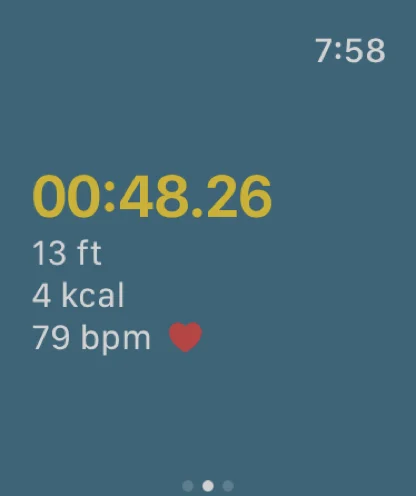
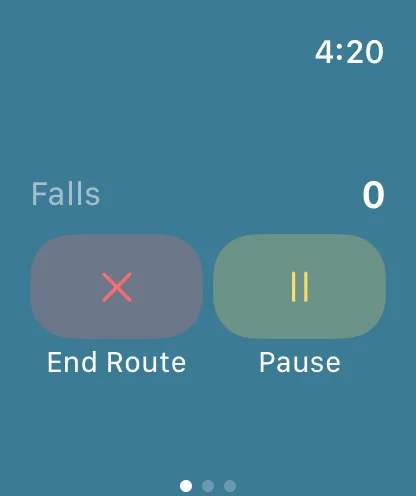
What It Tracks on Every Climb
Most fitness apps record climbing as one long workout. Big Sendies breaks your session into individual routes, so you see exactly what each climb took out of you.
How Climbing With It Works
Want the full walkthrough with screenshots? Read the Apple Watch tutorial.
Climbing Workouts in Apple Health & Fitness
Every session tracked on your watch is saved as a climbing workout in Apple Health and the Fitness app, with heart rate and measured active calories. Your gym sessions close your Activity rings, show up in your workout history, and sit alongside the rest of your training data.
Then Dig In on Your iPhone
Back on your phone, every watch session becomes a full climbing logbook entry. See a heart rate and height chart for each climb, build your grade pyramid for bouldering, top rope, and lead, keep a logbook of the gym routes you've sent, unlock achievements, and share sessions with your climbing crew.
Frequently Asked Questions
Do I need my iPhone with me to climb with Big Sendies on Apple Watch?
No. You set up Big Sendies on your iPhone once (your account, grade systems, and custom gym grades), but your phone doesn't need to be with you during a session. Start the session, log routes, and end it from the watch; it syncs to your iPhone the next time they connect.
Which types of climbing can I track on Apple Watch?
Bouldering, top rope, and lead. Pick the climb type and grade on the watch before each route; the grade list follows the grade systems you set on your iPhone, including custom gym scales.
Does climbing on Apple Watch close my Activity rings?
Yes. Each session is saved as a climbing workout in Apple Health and the Fitness app, with heart rate and measured active calories, so it counts toward your Move and Exercise rings.
Is the Apple Watch climbing app free?
Yes. Big Sendies is free to download and the Apple Watch app is included on the free plan, which logs up to 30 climbs per calendar month. Big Sendies Pro is an optional subscription for unlimited climbs.
I climb with a Garmin, not an Apple Watch. Can I still use Big Sendies?
Yes. Export your session from your Garmin as a FIT file and import it into Big Sendies to bring in heart rate, duration, and activity data.
Requires iPhone. Apple Watch app included.