Importing a Garmin FIT File
Climb with a Garmin watch? Bring your climbing activities into Big Sendies with the file Garmin already records — no account linking required.
Step by Step
1
Export the Activity from Garmin Connect
The Garmin Connect app can't export files, so use the website: sign in at connect.garmin.com in Safari, open your climbing activity, tap the gear icon, and choose Export Original. Garmin downloads the activity as a .zip file.
2
Share It to Big Sendies
Open the download (it's in Files → Downloads), tap Share, and choose Big Sendies. No need to unzip it — the app opens straight to Garmin Import and reads the activity.
3
Review the Session
Check the date, calories, and average heart rate Garmin recorded. Under Session Options, choose Lead or Top Rope for roped activities and tap Location to pick your gym.
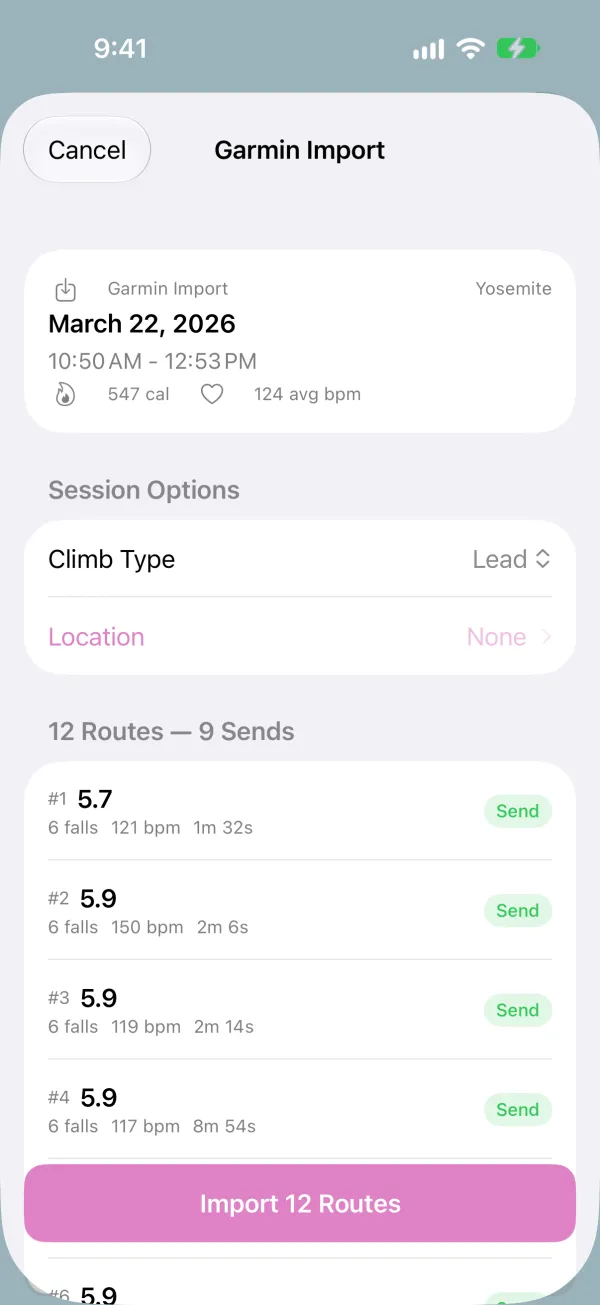
4
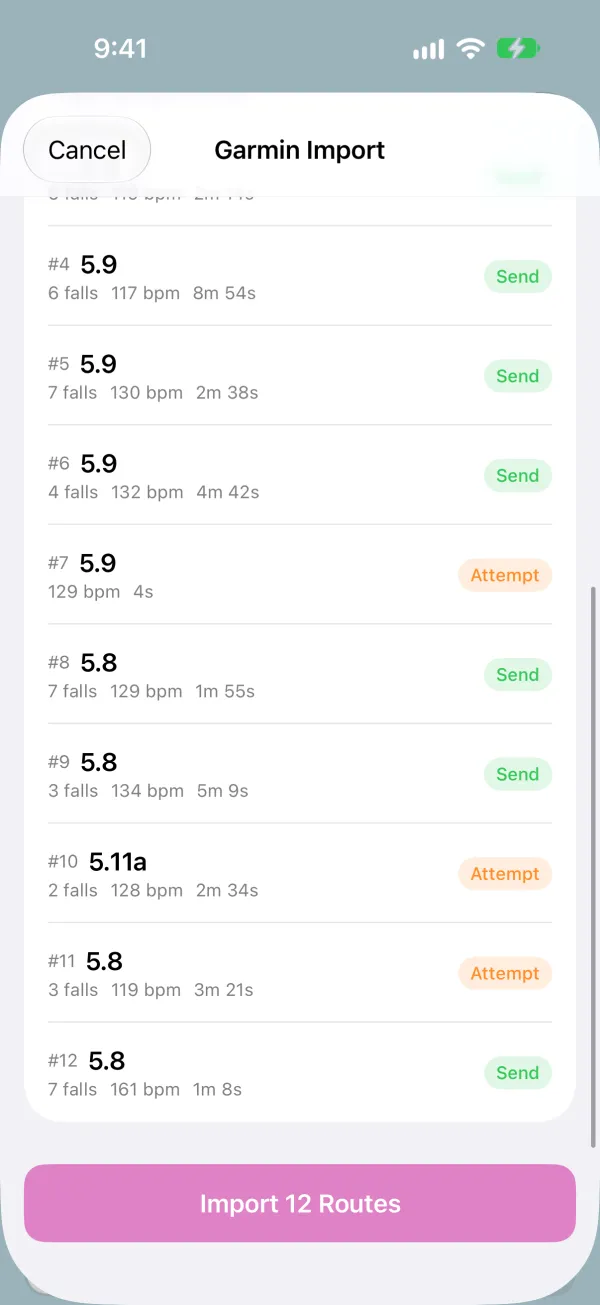
Check Your Routes and Import
Each route is listed with its grade, falls, heart rate, and time, marked Send or Attempt. When it looks right, tap Import.
5
Find It in Sessions
The session appears in your Sessions tab like any other and counts toward your stats, grade pyramid, and achievements. Imported climbs count toward the free plan's monthly climb limit.